




Run your contact center inside ServiceNow.
b+s Connects brings Cisco Contact Center's voice and digital channels into the workspace where the rest of the service workflow runs.
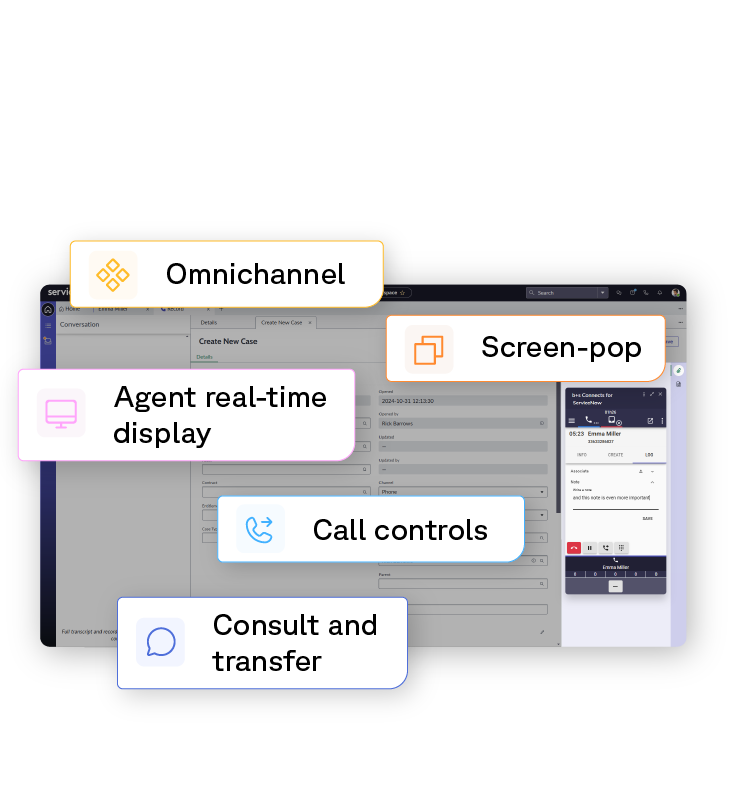
How b+s Connects works with ServiceNow.
ServiceNow runs the service workflows your contact center operations depend on. What about systems where those workflows often start? b+s Connects lets you handle Cisco Contact Center's voice and digital channels inside the ServiceNow workspace, so each conversation and the workflow that follows it run on the same system.
The work starts before the conversation does.
The interaction doesn't wait for a wrap-up note to enter the system. As the calls, chat, or emails are opened, an incident or case is created in ServiceNow and tied to the contact. SLAs start. Workflows engage. By the time the conversation ends, the work that came out of it is already where it needs to be, not waiting for a logging step that gets done later or skipped.

Voice and digital channels in the same workspace.
Voice calls and digital channels don't need separate agent desktops. b+s Connects brings them into the same ServiceNow workspace, with the same interaction controls and workflow integration underneath. Cisco Contact Center handles routing across channels. ServiceNow is where the agent does the work, whether the customer reached out by phone, chat, or email.

Service process applied during the interaction.
ServiceNow's workflow rules apply while the conversation is happening, not after an agent gets around to logging the call. SLA timers begin at interaction start. Required-field logic surfaces in real time, so cases close with the documentation the rest of the workflow depends on. The result is service that's actually consistent with the process you've defined—and an audit trail that captures the conversation and the resolution as part of the same record.

Supervisor visibility across interaction and resolution.
Supervisors don't have to assemble two halves of a picture from two different systems. Cisco-side operational and contact center data sits alongside ServiceNow case status and SLA performance. When something looks off in the conversation data, supervisors can see what happened in the case it produced. Coaching decisions and capacity calls happen with the full picture available, not reconstructed afterward from two reports that don't quite line up.